The following steps will walk you through how to turn on the Call Forwarding Service for Cox business customers:
Lift the handset and listen for the dial tone.
Dial *72
Listen for the dial tone.
Dial the Smith number to forward your calls to.
NoteNote: Your confirmation will be a stutter dial tone, then regular dial tone to let you know your Call Forwarding feature is now working.Hang up. The Call Forwarding is now on.
Turning OFF the Call Forwarding Service :+
Lift the handset and listen for the dial tone.
Dial * 73.
Listen for the confirmation tone, and then hang up the handset. Call Forwarding is now deactivated.
Using the Cox Business Portal
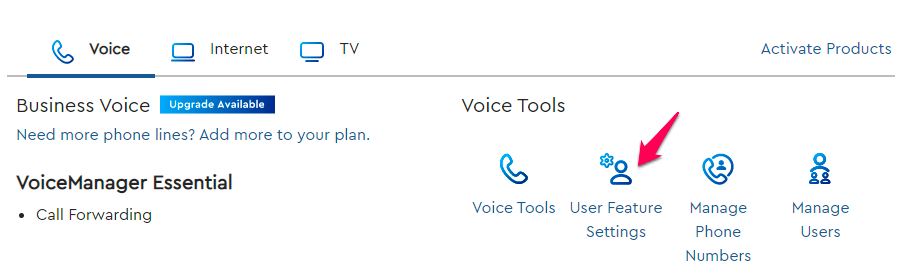
Log in and scroll down to the Voice Tools and select User Feature setting.
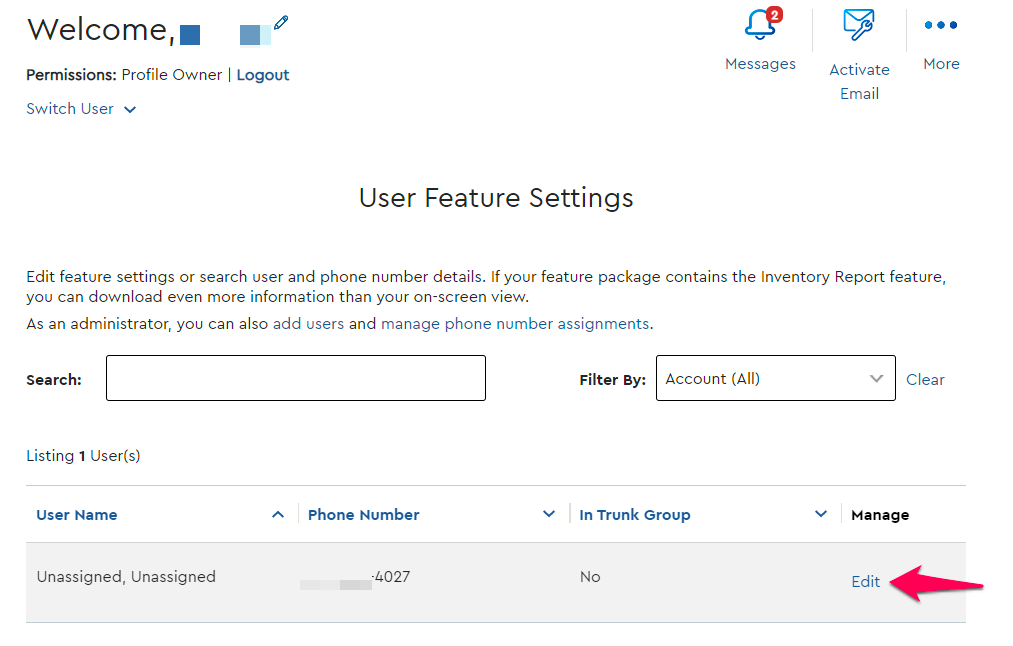
Click edit on the number you wish to forward.
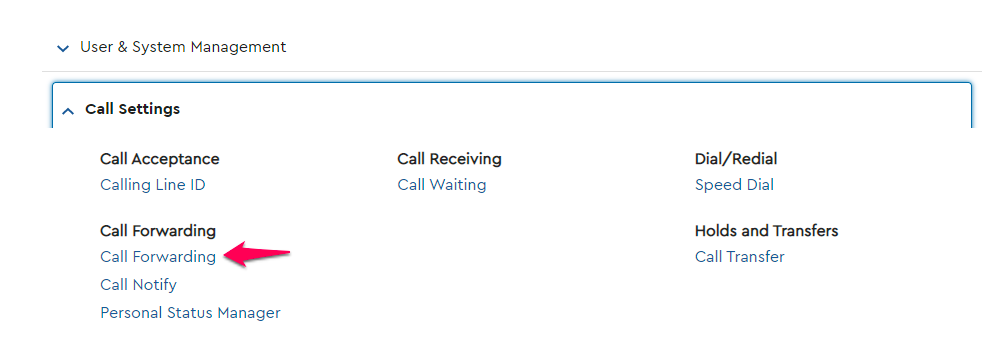
Under Call Settings, go to the Call Forwarding.
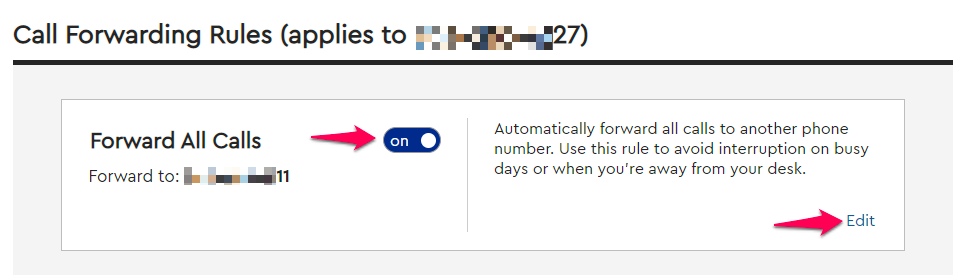
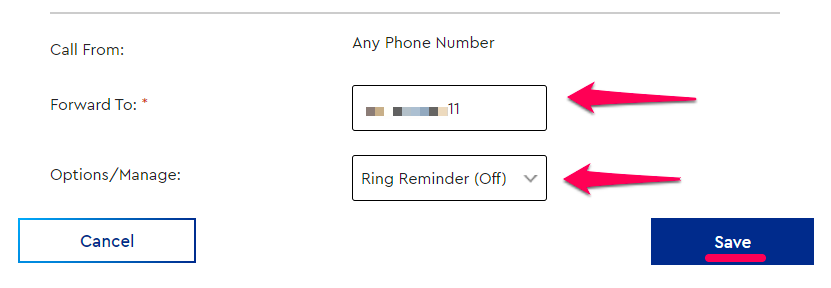
Toggle the forwarding type you would like to use to ON, and click edit to add in your Smith number.
Enter your Smith number, and turn off the Ring Reminder, then click Save.
Questions? Contact us!
If you're already a Smith.ai client and need help, please email us at support@smith.ai or call us at (650) 727-6484 for assistance.
If you're not yet a Smith.ai client, please schedule a free consultation to get started with our virtual receptionist services or email us at sales@smith.ai. We'll help you select the best plan to match your business’s growth goals and budget.
Was this article helpful?
That’s Great!
Thank you for your feedback
Sorry! We couldn't be helpful
Thank you for your feedback
Feedback sent
We appreciate your effort and will try to fix the article