There are two types of call forwarding options available in eVoice: basic and advanced.
Here is how to set up Basic forwarding :
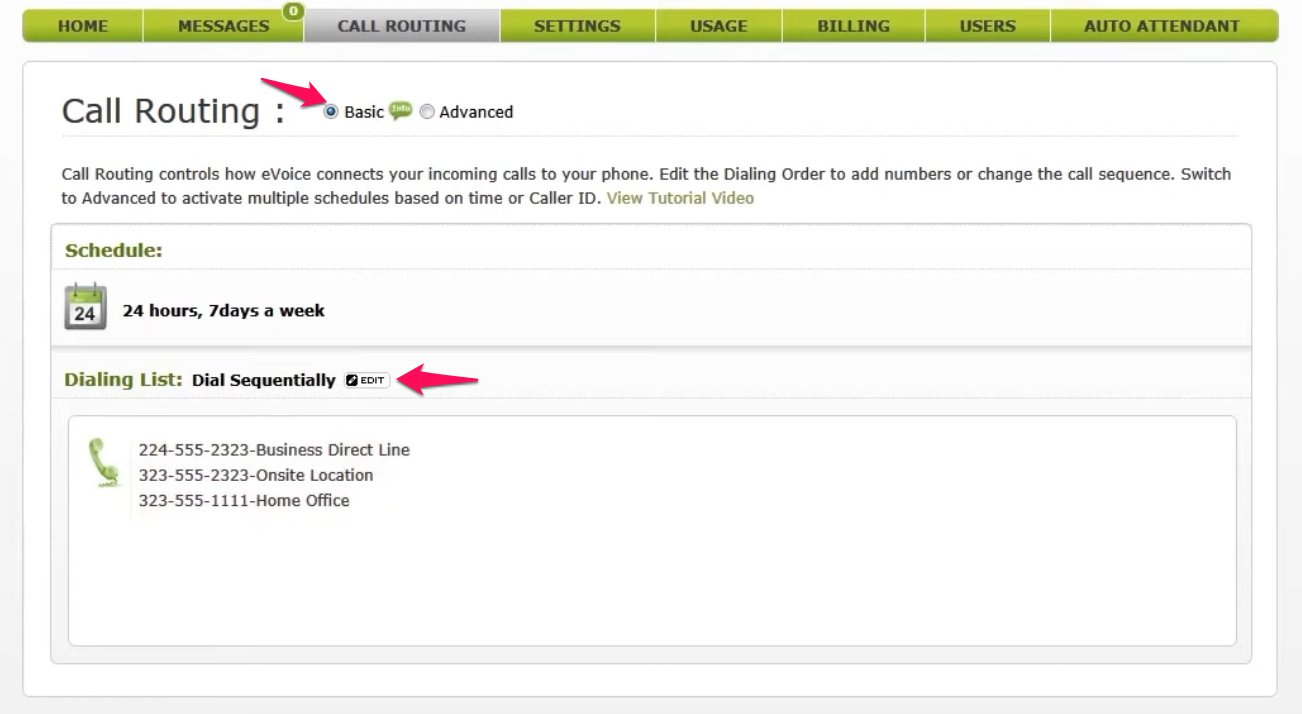
- Under the call routing menu, select Basic, then click Edit beside the Dialing list.
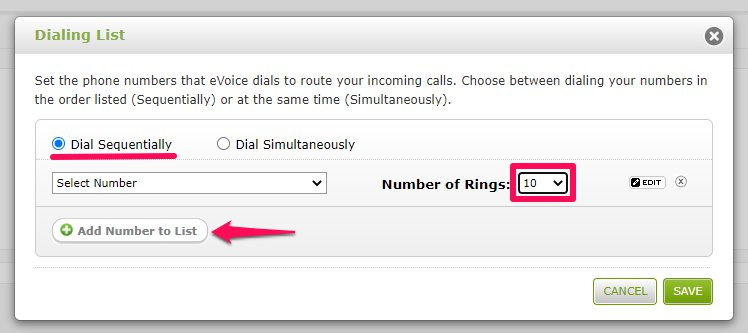
- Select Dial Sequentially, and click Add a number to the list. Ensure the number of rings is set to 10 or more.
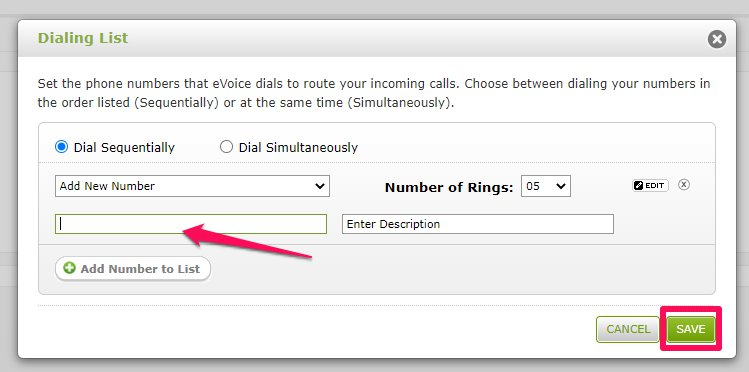
- Using the drop-down menu, select Add new number. This is where you will input your Smith.ai number.
- Click Save before exiting this screen.
- Common Issues:
- Smith.ai requires Caller ID. Learn how to enable Caller ID for eVoice here.
- Smith.ai requires that "Require me to press a key to accept a call" is turned off. Learn how to deactivate it here.
If you are forwarding to more than one number, you will want to list them in the order you want your calls routed. For Advanced forwarding, you can find instructions here.
Questions? Contact us!
If you're already a Smith.ai client and need help, please email us at support@smith.ai or call us at (650) 727-6484 for assistance.
If you're not yet a Smith.ai client, please schedule a free consultation to get started with our virtual receptionist services or email us at sales@smith.ai. We'll help you select the best plan to match your business’s growth goals and budget.
Was this article helpful?
That’s Great!
Thank you for your feedback
Sorry! We couldn't be helpful
Thank you for your feedback
Feedback sent
We appreciate your effort and will try to fix the article