Follow these steps to configure your phone system to forward your UniTel Voice line directly to your Smith number:
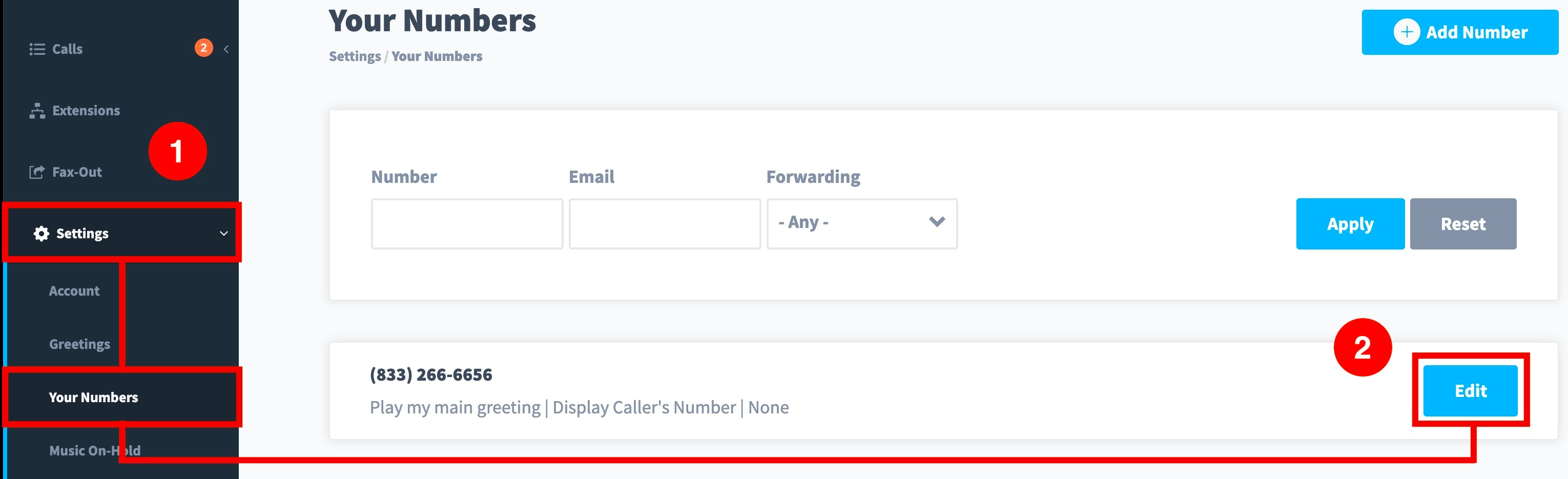
- Log into your phone system and navigate to “Settings” then “Your Numbers”.
- You should see your UniTel Voice number listed. Select “Edit”on the number.
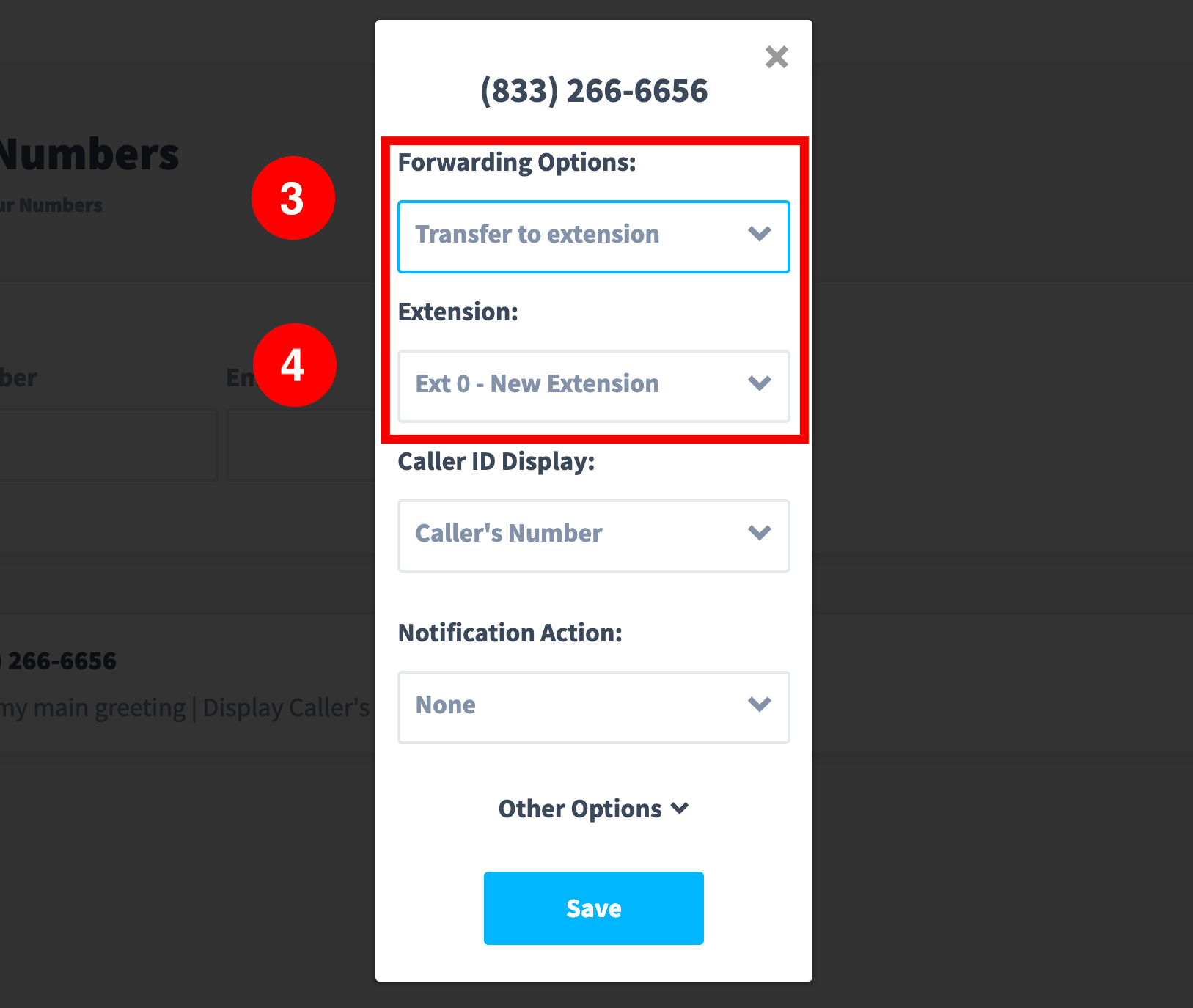
- Under forwarding options, select “Transfer to Extension”.
- Then select "Extension 0". Make sure your Caller ID Display is set to the Caller's Number, and the Notification Action is set to None, then hit “Save”.
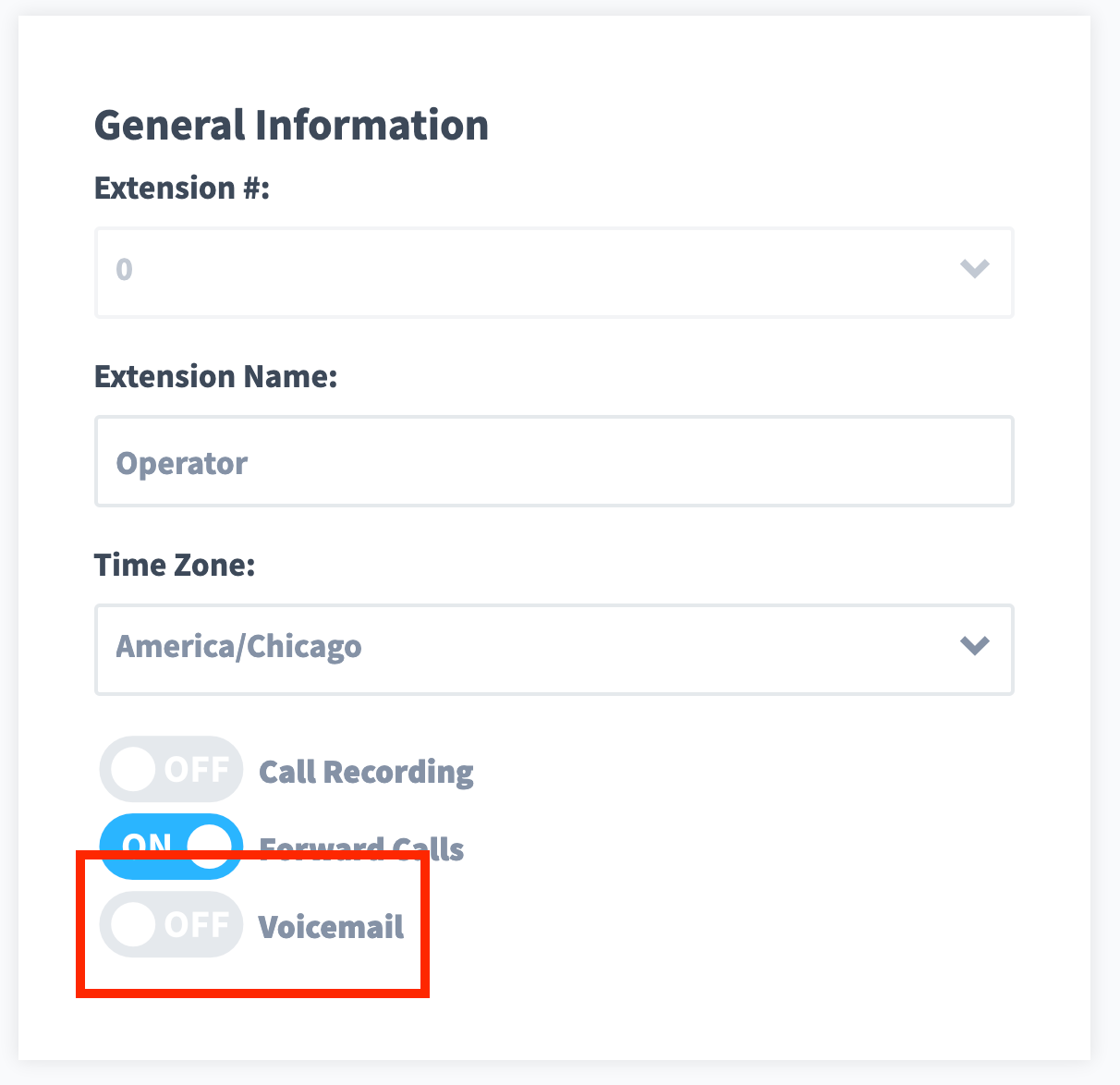
- Now you will navigate to "Extensions". Click “Edit” on Department Extension Zero.
- In the “General Information” section, scroll down to the "Voicemail" toggle and click to turn it to “OFF”.
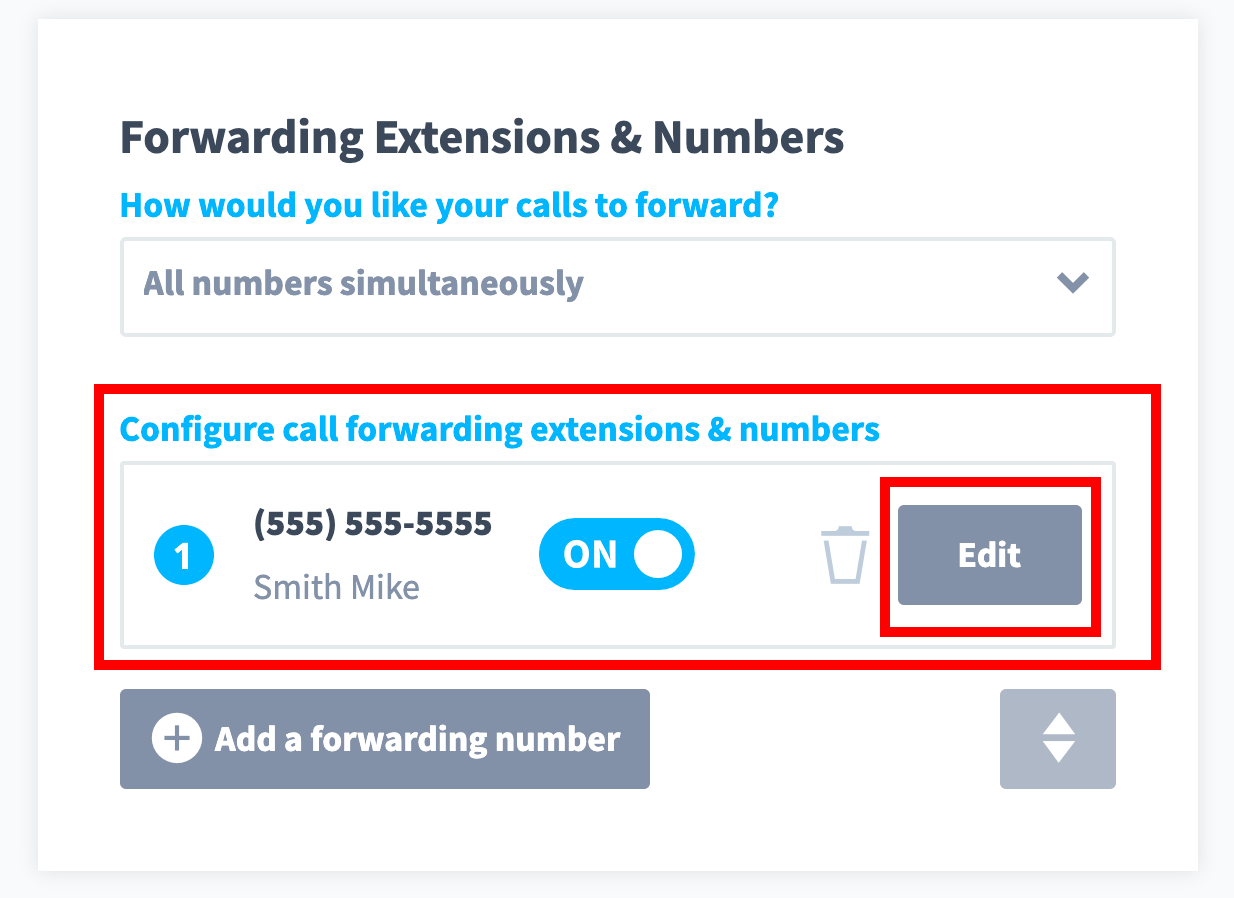
- Over to the right under the section “Forwarding Extensions & Numbers”, you’ll see that Department Extension 0 is forwarding to the contact number you entered at signup. If you would like to change this number select “Edit”.
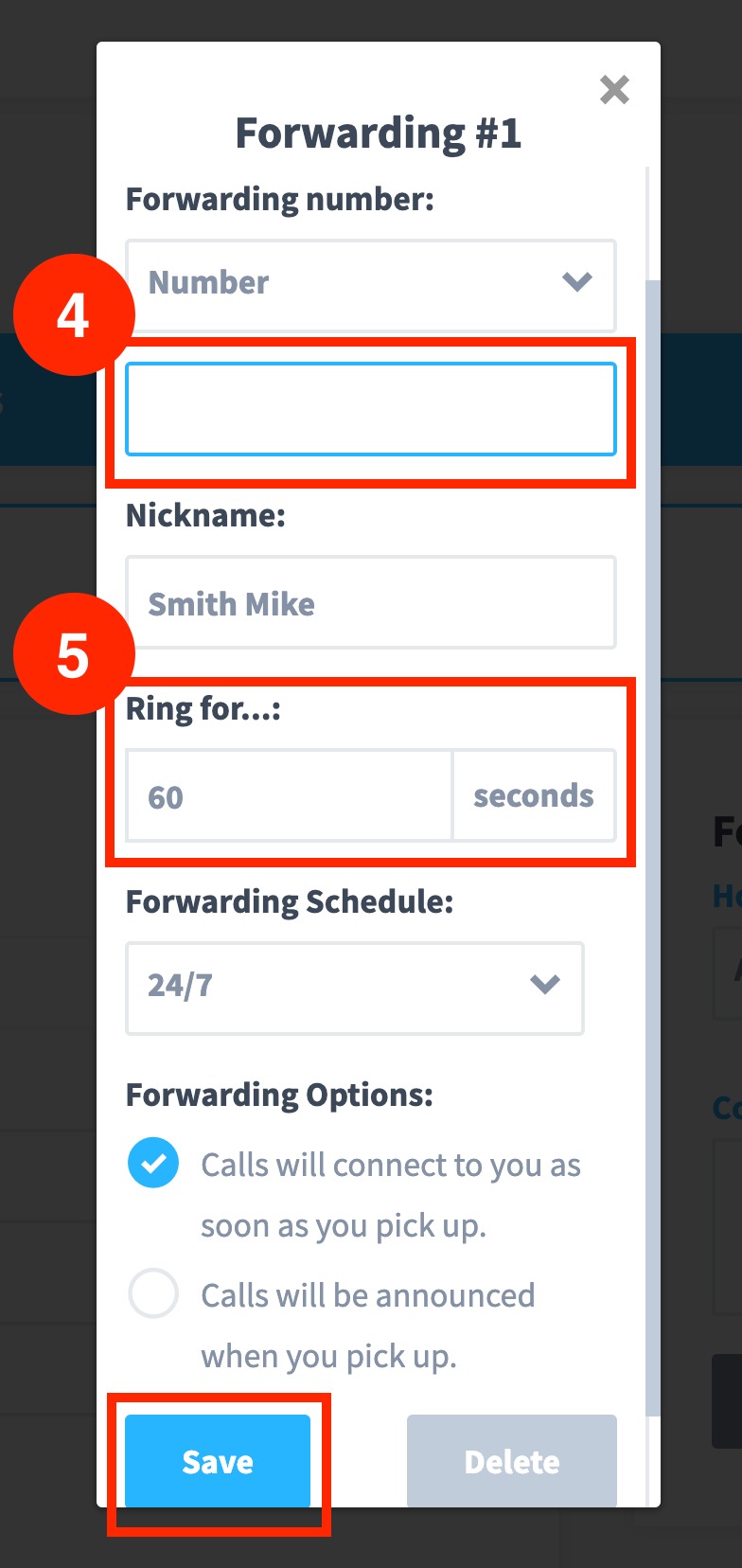
- Under “Forwarding Number”, select “Number”, and a new field will appear where you can enter your Smith phone number.
- Adjust the "Ring Duration to 60" seconds and click “Save”. Then hit “Save”again to save your extension.
That's it! Your calls should now be forwarded directly to your Smith receptionists.
Questions? Contact us!
If you're already a Smith.ai client and need help, please email us at support@smith.ai or call us at (650) 727-6484 for assistance.
If you're not yet a Smith.ai client, please schedule a free consultation to get started with our virtual receptionist services or email us at sales@smith.ai. We'll help you select the best plan to match your business’s growth goals and budget.
Was this article helpful?
That’s Great!
Thank you for your feedback
Sorry! We couldn't be helpful
Thank you for your feedback
Feedback sent
We appreciate your effort and will try to fix the article