Give your choice of users access to your AI Receptionist account with their own credentials at no additional cost. It’s easy to invite new users and manage their access from your account dashboard.
How to invite users
Log in to your AI Receptionist dashboard.
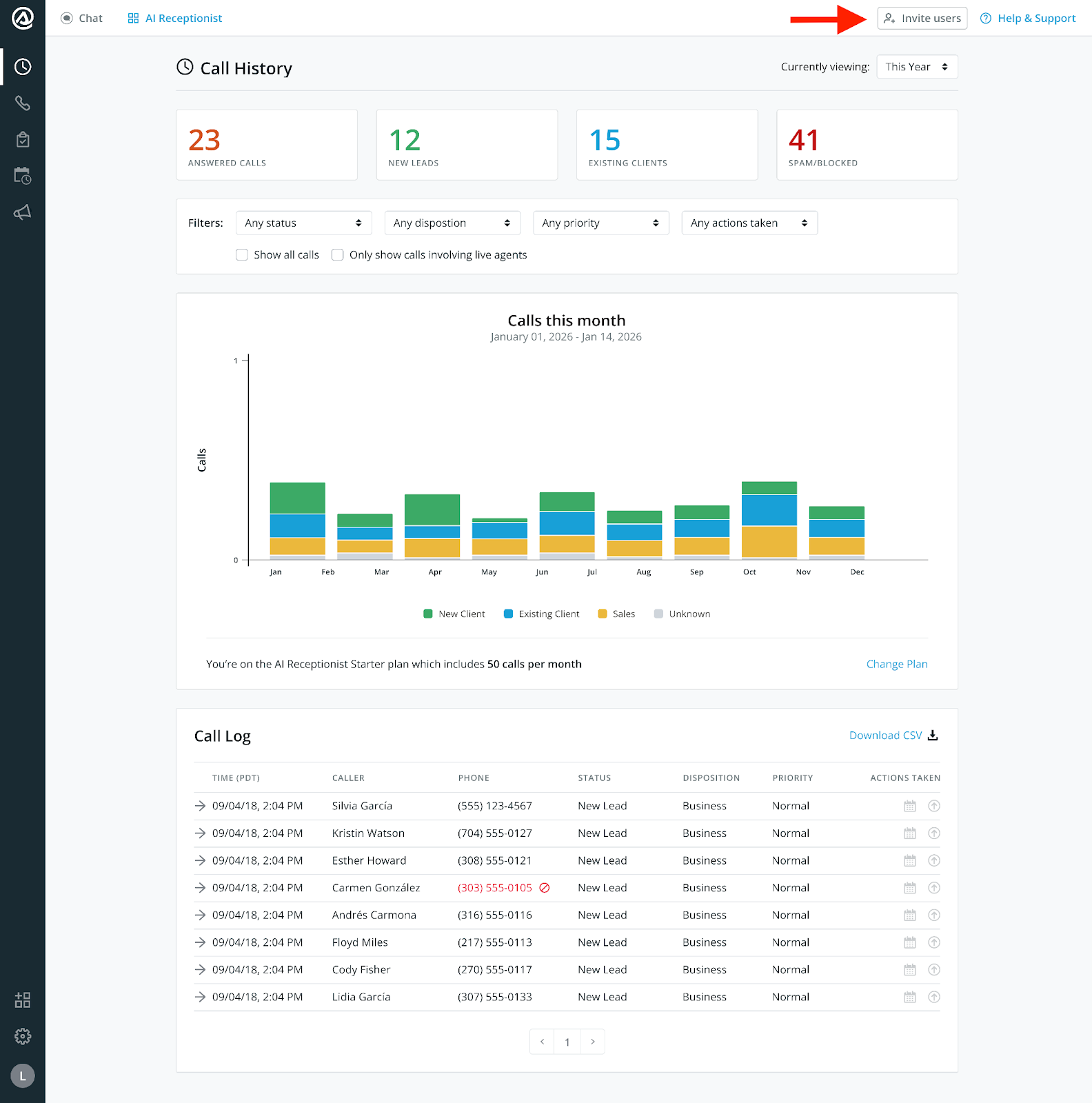
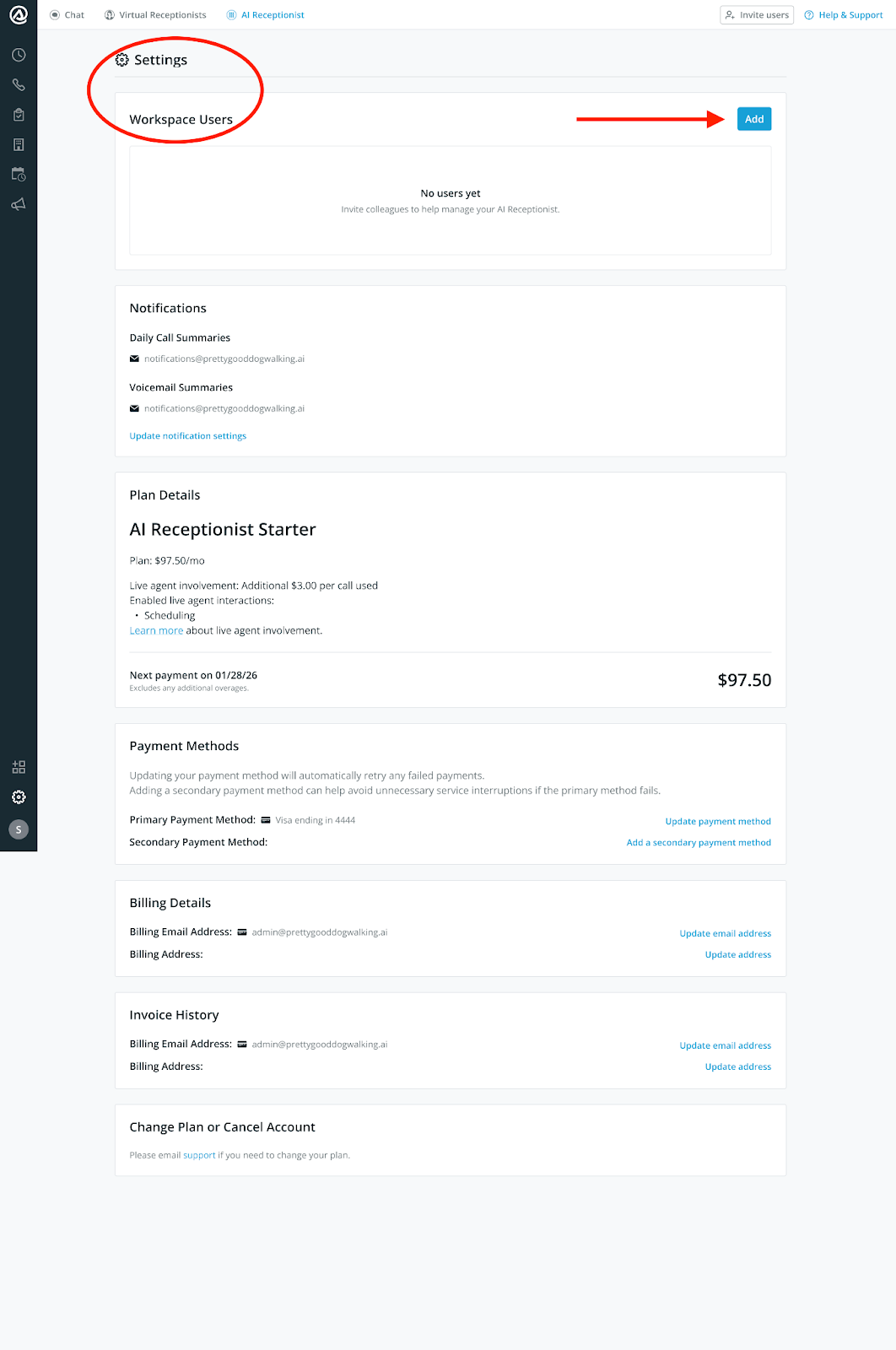
Click Invite Users in the top right corner of the dashboard, or navigate to Account Settings → Workspace Users and click Add.
Enter the email addresses of the people you’d like to invite.
Click Send Invites. Each invitee will receive an email from Smith.ai with a unique link to accept their invitation and set up their password.
What invitees need to do: Accept the email invitation, enter their full name, create a password, and click Accept invite & create account. Their status in Workspace Users will automatically update from Invited to Active.
Note: If an invitee’s email is already linked to a different Smith.ai account, the invitation will be blocked. The invitee will need to use a different email address.
Managing users
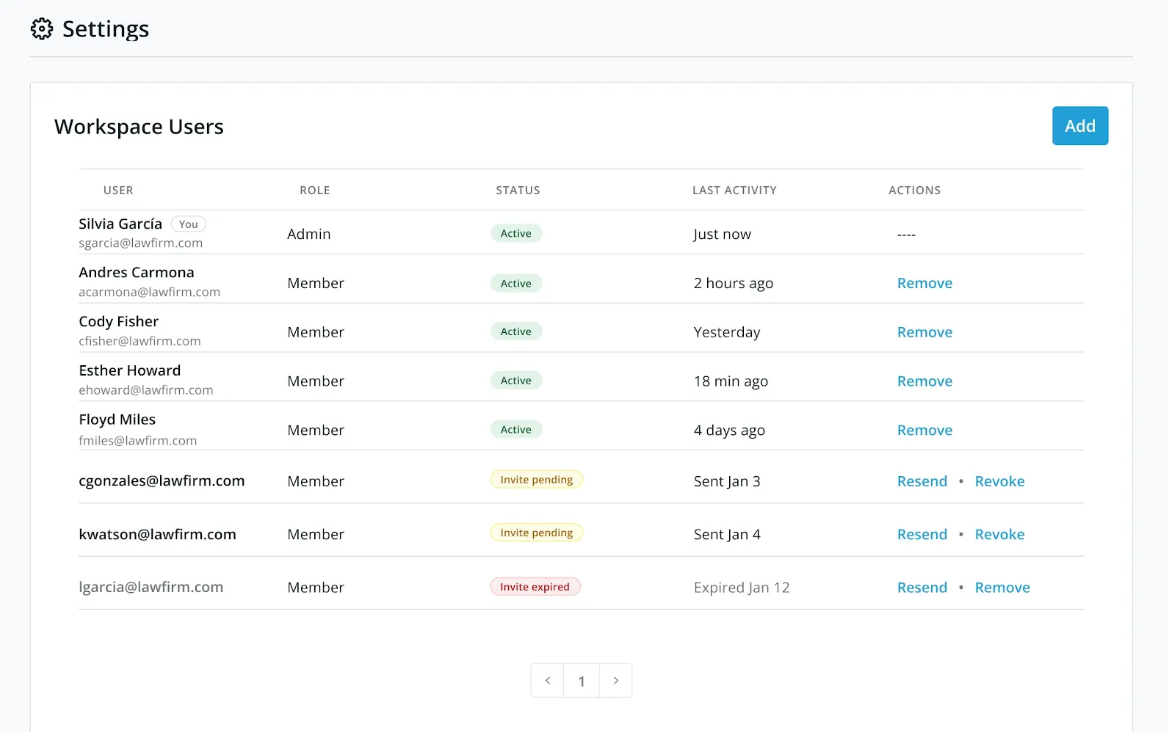
Account admins can view all user information (email, role, status) in the Workspace Users settings. Note that a user’s name will appear once they have accepted the invite and created their account.
From the Actions column of the Workspace Users section, account admins can:
Remove — Revokes the access of any active user. If needed, you can re-invite the same email address later.
Resend — Resends the invitation email to any team member with Invite pending status.
Revoke — Revokes the invitation of any invited team member.
What users can and can’t do
Users have full operational access to the dashboard, but billing and account-level controls remain with the account admin. Billing-related notifications (invoices, overage alerts, plan changes) are sent exclusively to the account admin and will not be received by users on the account.
Tracking changes to call instructions
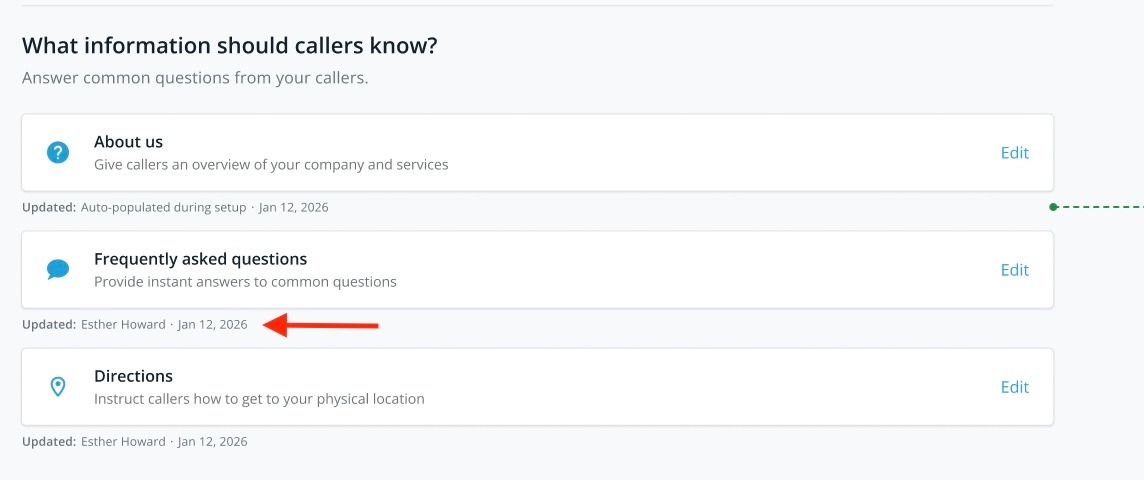
In the Instructions tab, each section displays attribution text — Updated: [User Name] – [Date] — so anyone in the account can always see who last made a change.
For a full activity log, contact our support team at support@smith.ai.
Frequently asked questions
Will users see the same dashboard I see?
Yes, but they cannot alter any billing-related settings, view plan details, or manage other users.
Can users change my billing or plan?
No. Users have zero access to billing, payment details, plan settings, or any cost-related features. Those sections are exclusively accessible to the account admin.
What happens if someone who is a user on my account leaves the company?
You can remove them at any time from Account Settings → Workspace Users. Their access is revoked immediately. If needed, you can re-invite that same email address in the future.
Questions? Contact us!
Still have questions? Our team is here to help. Chat with us using the button at the bottom right of your dashboard, email us at support@smith.ai, or call us at (650) 727-6484.
Was this article helpful?
That’s Great!
Thank you for your feedback
Sorry! We couldn't be helpful
Thank you for your feedback
Feedback sent
We appreciate your effort and will try to fix the article