Once you set up instructions to result in a transfer or enable transfers and set up your directory, you can configure how the transfer is facilitated by your AI receptionist from the call handling page.
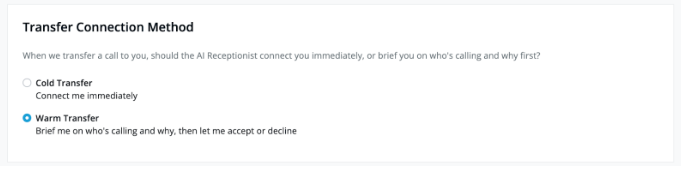
- For a cold transfer, your AI receptionist will forward the caller directly to the transfer recipient, removing itself from the call once the transfer is initiated.
- For a warm transfer, your AI receptionist will inform the caller that they will be put on a brief hold to see if the transfer recipient is available. Then your AI receptionist will put the caller on a brief hold, connect with the transfer recipient, and then deliver a quick summary about the caller and call. From there, the transfer recipient will have the opportunity to accept or have your AI receptionist take a message. If the transfer recipient accepts, your AI receptionist will add the caller to the line before excusing itself.
For warm transfers, your AI receptionist will always take the approach of conveying to the caller that the transfer recipient is unavailable in the event the transfer cannot or does not happen (whether it be because we reach the transfer recipient’s voicemail, the recipient declines, the recipient expresses unavailability, etc.) before taking a message and ending the call.
Was this article helpful?
That’s Great!
Thank you for your feedback
Sorry! We couldn't be helpful
Thank you for your feedback
Feedback sent
We appreciate your effort and will try to fix the article