Getting Started with Quality Studio
Quality Studio is a built-in workspace into your AI Receptionist dashboard. It's where you test, score, and improve your AI Receptionist before you go live and on an ongoing basis.
Every time you run a call in Quality Studio (whether it's a simulated call, a test call, or a real call from an actual caller) you get a score, a summary of what happened, and a specific recommendation for what to change. Apply the fix, retest, and watch your score improve. Once you turn on call forwarding, every real call your AI Receptionist handles flows into that same cycle automatically. That's the Quality Studio flywheel for your business.
Quality Studio is included on all plans, including Free.
What's covered in this article
How the Quality Studio loop works
The three call types
Goals, scenarios, and checks
Your AI Quality Index (AQI)
Accessing Quality Studio
How the Quality Studio loop works
Quality Studio is built around a five-step cycle you repeat to continuously refine your AI Receptionist, because your business doesn't stand still :
Set goals and scenarios: Describe what a good call looks like for your business — what the caller does, and what your AI Receptionist should do. Quality Studio uses this to generate pass/fail checks for every call.
Run a call: Choose a simulated call (AI-vs-AI, no phone needed) or a test call (live voice from your browser).
See results: Each check is marked pass or needs review. You also get a plain-language call summary and your updated AQI score.
Get a recommendation: For any failing check, Quality Studio identifies what went wrong and proposes a specific instruction change to fix it.
Apply and retest: Accept or edit the recommendation directly in your FAQs or Call Intake to directly refine to your AI Receptionist instructions. Then run the same scenario again to confirm the fix worked.
The three call types
*If you use all your simulated or test calls, you won't be able to run more until your billing cycle resets. There is no extra rate or top-up option — if you need a higher monthly allowance, consider upgrading your plan. Email support@smith.ai or call (650) 727-6484 for more information on the right plan for your business.
Note: Simulations end at the point where a transfer or scheduling handoff would occur. They cannot complete a live transfer or check real calendar availability. To test the handoff specifically, use a test call instead.
Goals, scenarios, and checks
Quality Studio organizes your testing in a three-level hierarchy:
Goal: a performance objective for your AI Receptionist, such as Book appointments or Qualify leads. A goal groups related scenarios.
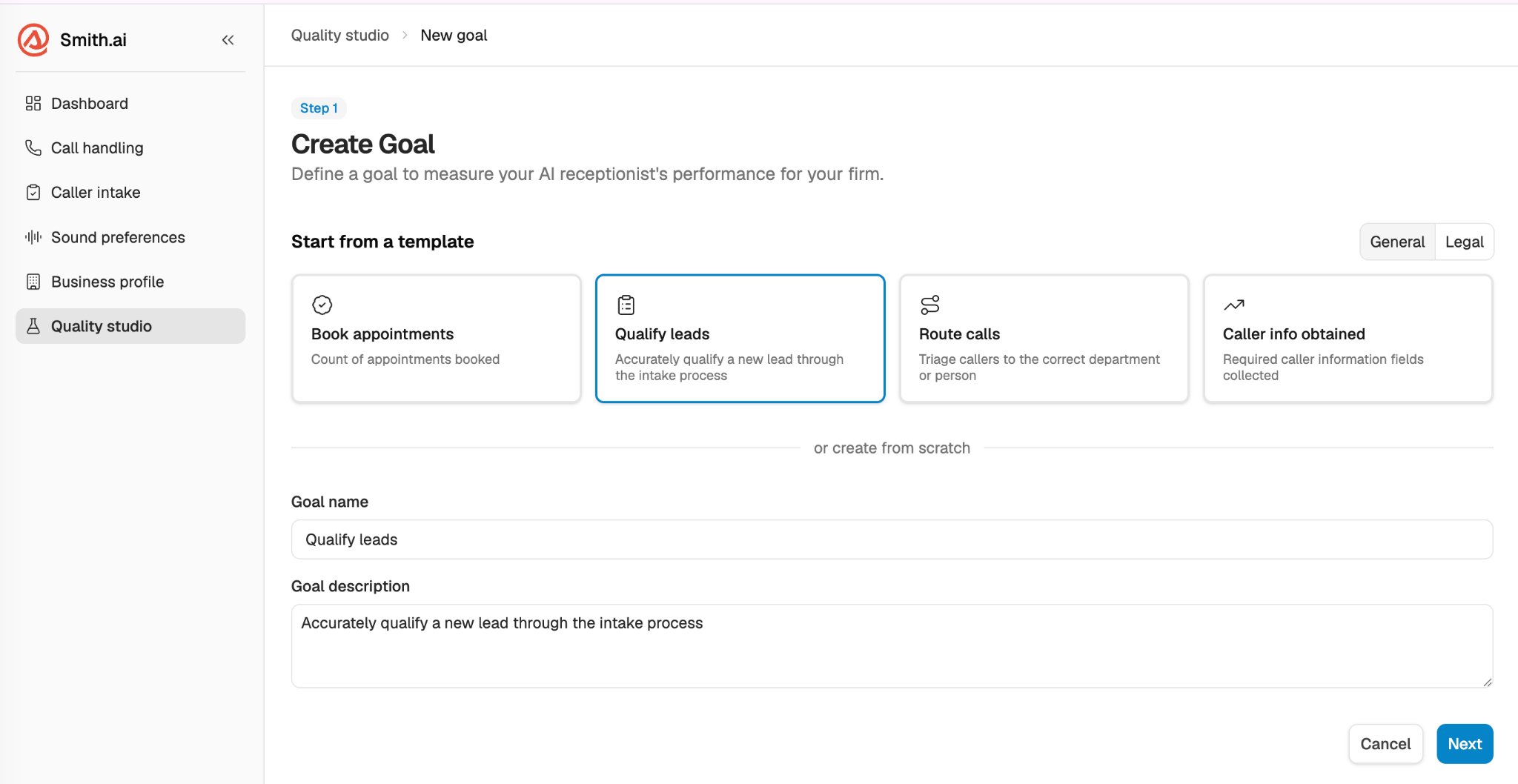
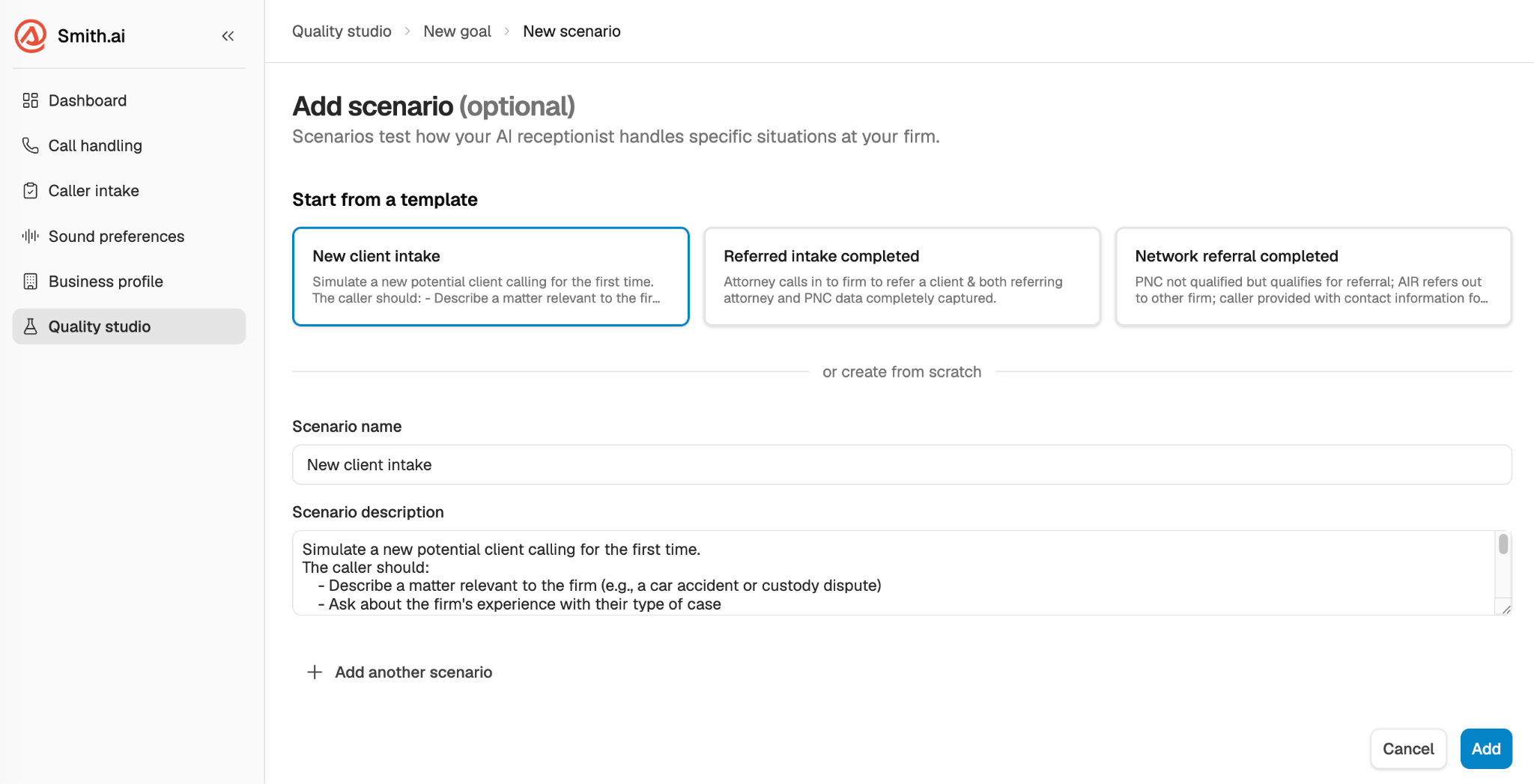
Scenario: a specific call criteria or key result under a goal. You describe what the caller does and what your AI Receptionist should do.
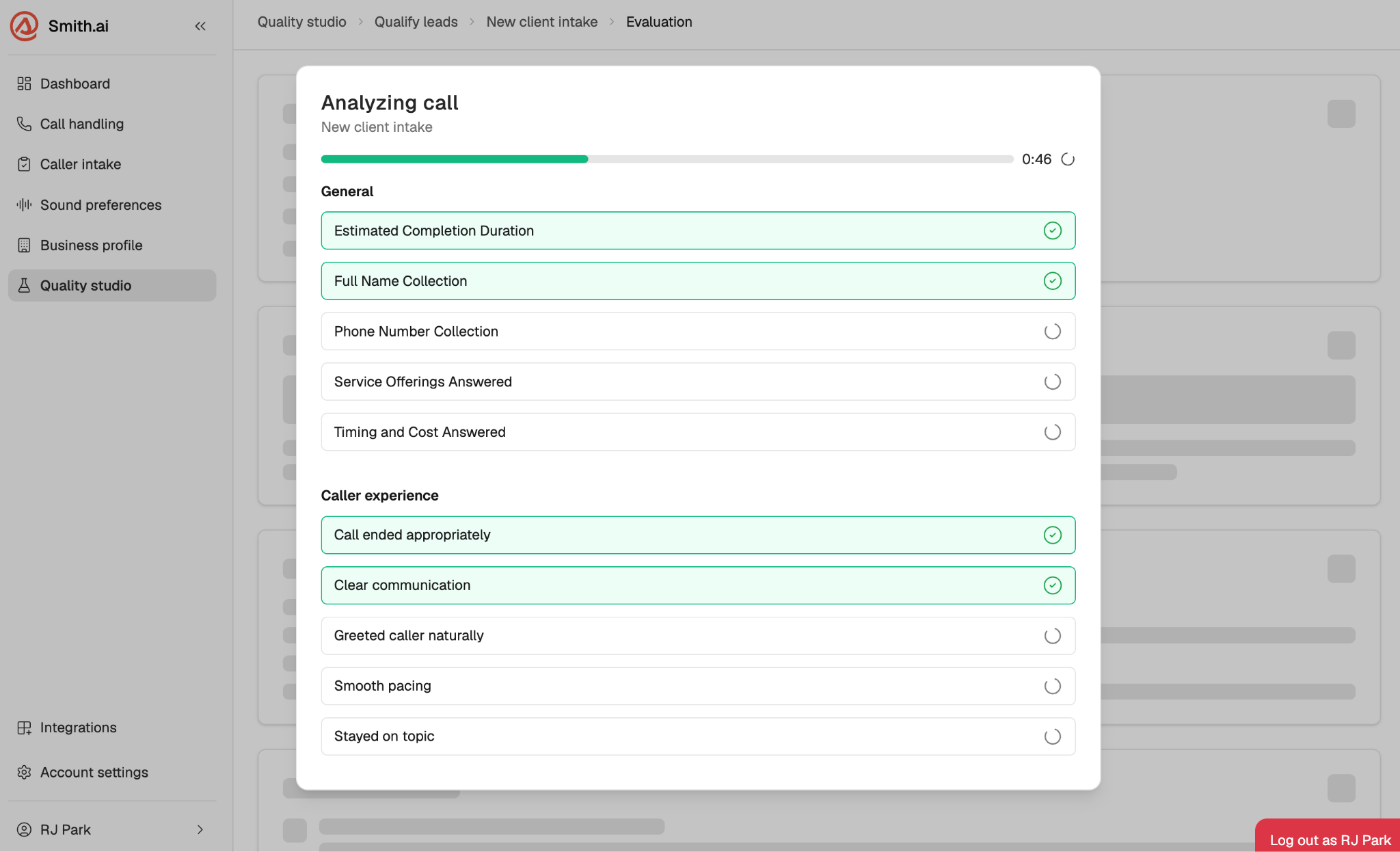
Check: a pass/fail criterion the system evaluates after each call. Goal checks are generated automatically based on your scenario. Caller Experience checks are 5 fixed criteria that run on every call regardless of scenario.
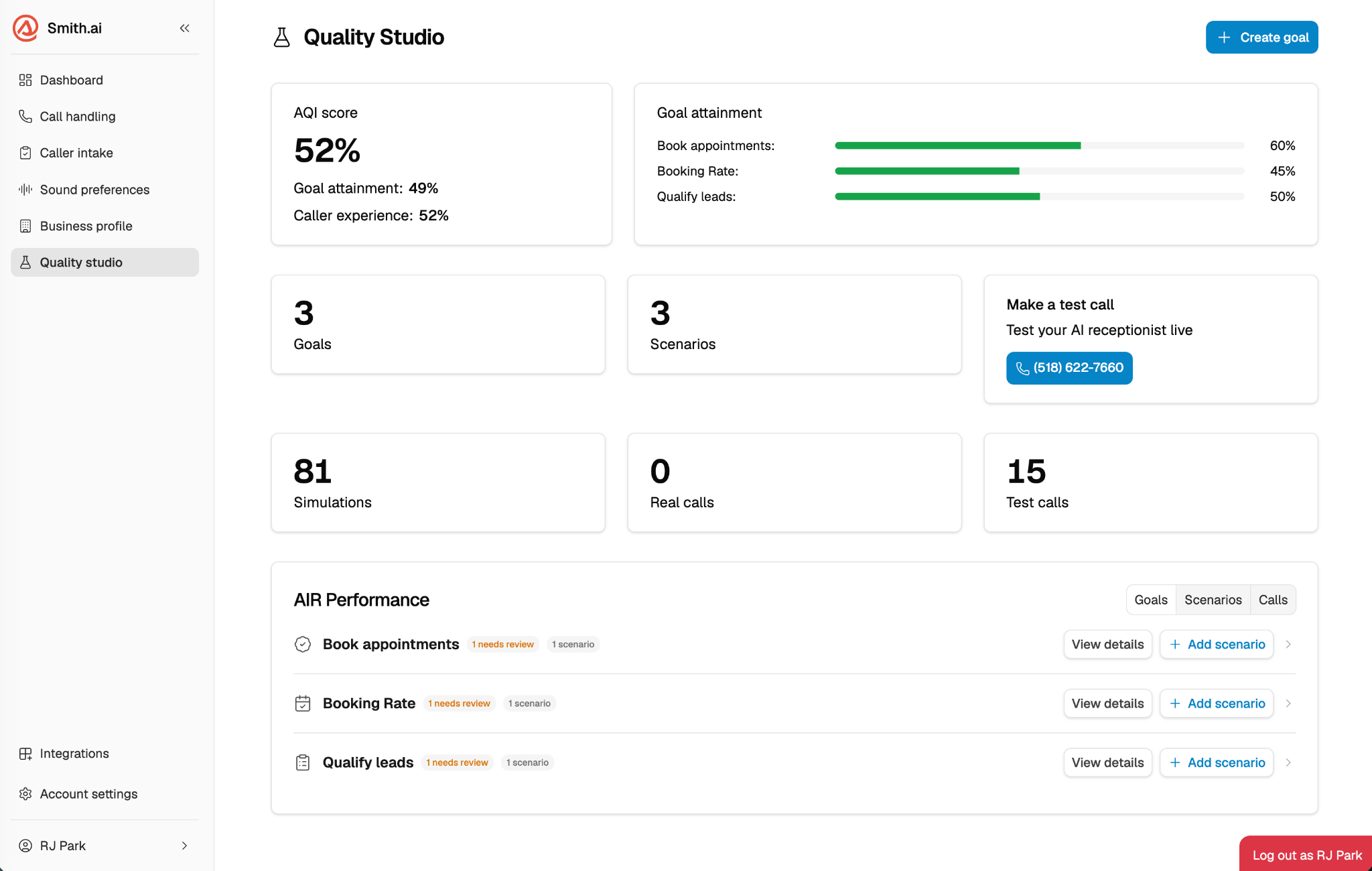
Your AI Quality Index (AQI) Score
The AQI is your top-line quality score that is a composite of two sub-scores:
Goal Attainment: did your AI receptionist accomplish what your scenarios required?
Caller Experience: was the interaction natural, professional, and helpful?
Your AQI appears on the Quality Studio dashboard as a numeric score with a 7-day trend indicator. As you close loops and apply fixes, your AQI should trend up over time.
Accessing Quality Studio
Log in to your AI Receptionist dashboard at app.smith.ai/vr/
Select Quality Studio from the left-hand toolbar.
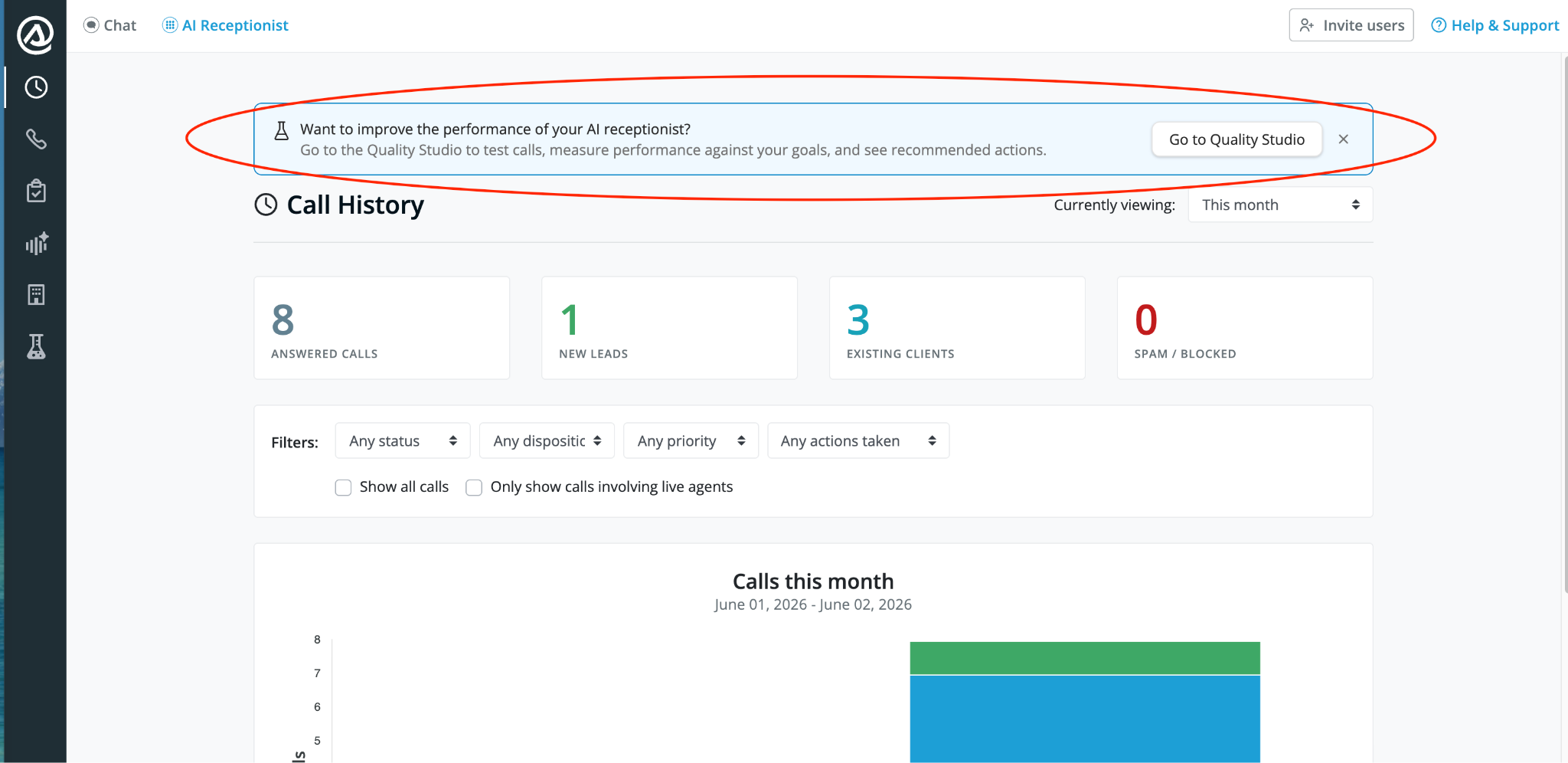
If this is your first time, you'll be prompted to create your first goal and scenario before running a simulated call.
Frequently asked questions
Is Quality Studio available on the Free plan?
Yes. Quality Studio is included on all plans, including Free.
Do I have to set up Quality Studio before going live?
You don't have to, but it's strongly recommended. Running even a single simulated call before going live lets you catch issues before real callers experience them.
What if my scenario involves a transfer or scheduling handoff?
Simulated calls end at the transfer point and cannot complete the handoff. For full end-to-end testing, including a live transfer, use a test call.
Questions? Contact us!
Already a client? Email support@smith.ai or call (650) 727-6484.
Not yet a client? Schedule a free consultation at smith.ai/booking-va or email sales@smith.ai.
Was this article helpful?
That’s Great!
Thank you for your feedback
Sorry! We couldn't be helpful
Thank you for your feedback
Feedback sent
We appreciate your effort and will try to fix the article