Quality Studio evaluates three types of calls: simulated calls, test calls, and real calls. Each serves a different purpose and is counted separately. This article explains how they work and when to use each one.
What’s covered in this article
Simulated calls
Test calls
Real calls
Comparing all three
Monthly allowances by plan
Frequently asked questions
Simulated calls
A simulated call is an AI-vs-AI text simulation. The system plays both the caller (following your scenario description) and your AI Receptionist. No phone is required and you can watch the transcript appear live as the call unfolds.
Best for:
Testing before you go live
Quickly iterating through multiple scenarios without picking up the phone
Confirming a fix worked after applying a recommendation
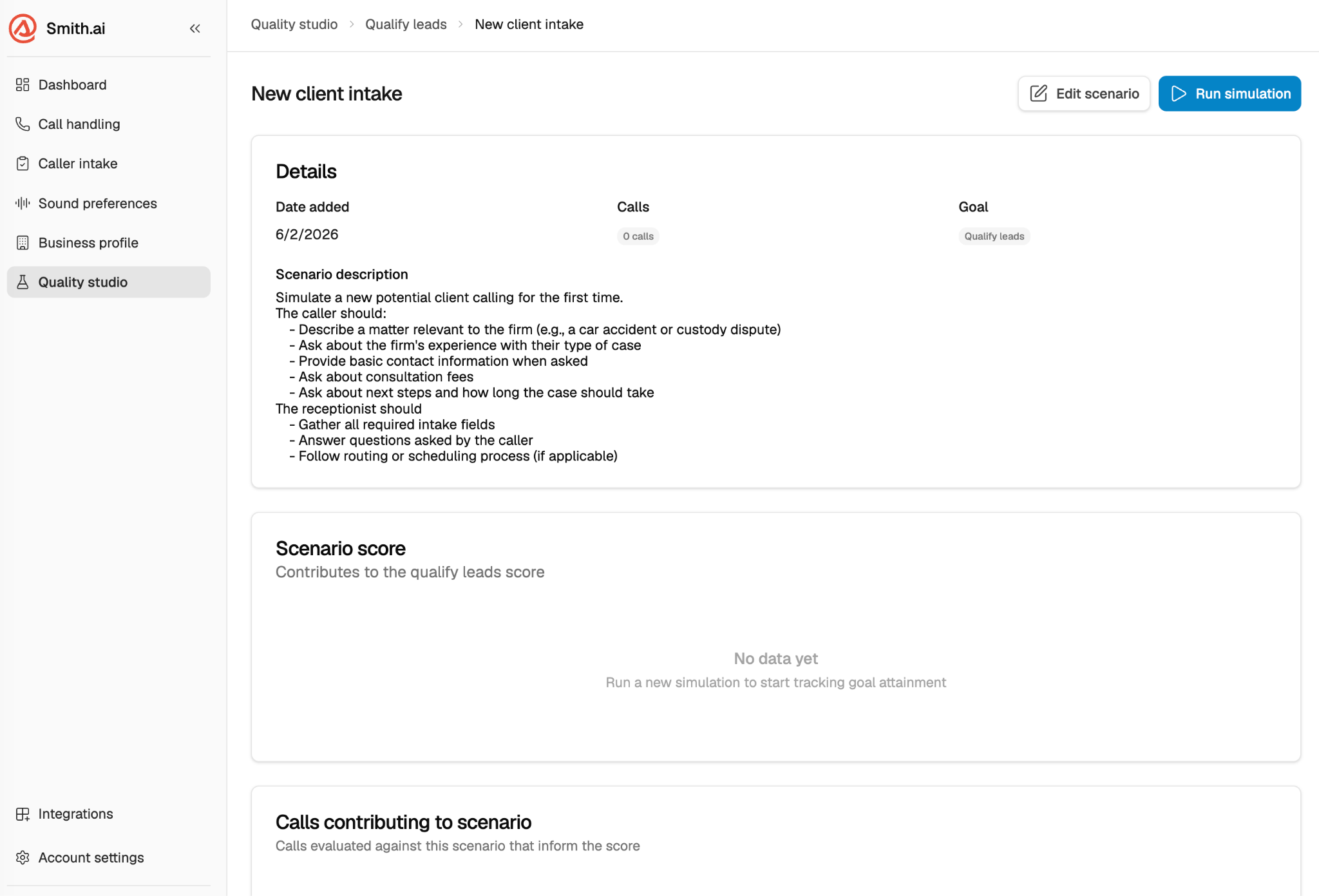
How to run a simulated call:
Log in to your AI Receptionist dashboard at app.smith.ai/vr/ and open Quality Studio.
Select the scenario you want to test.
Click Run Simulation.
Watch the transcript appear. When the call ends, your results and AQI update automatically.
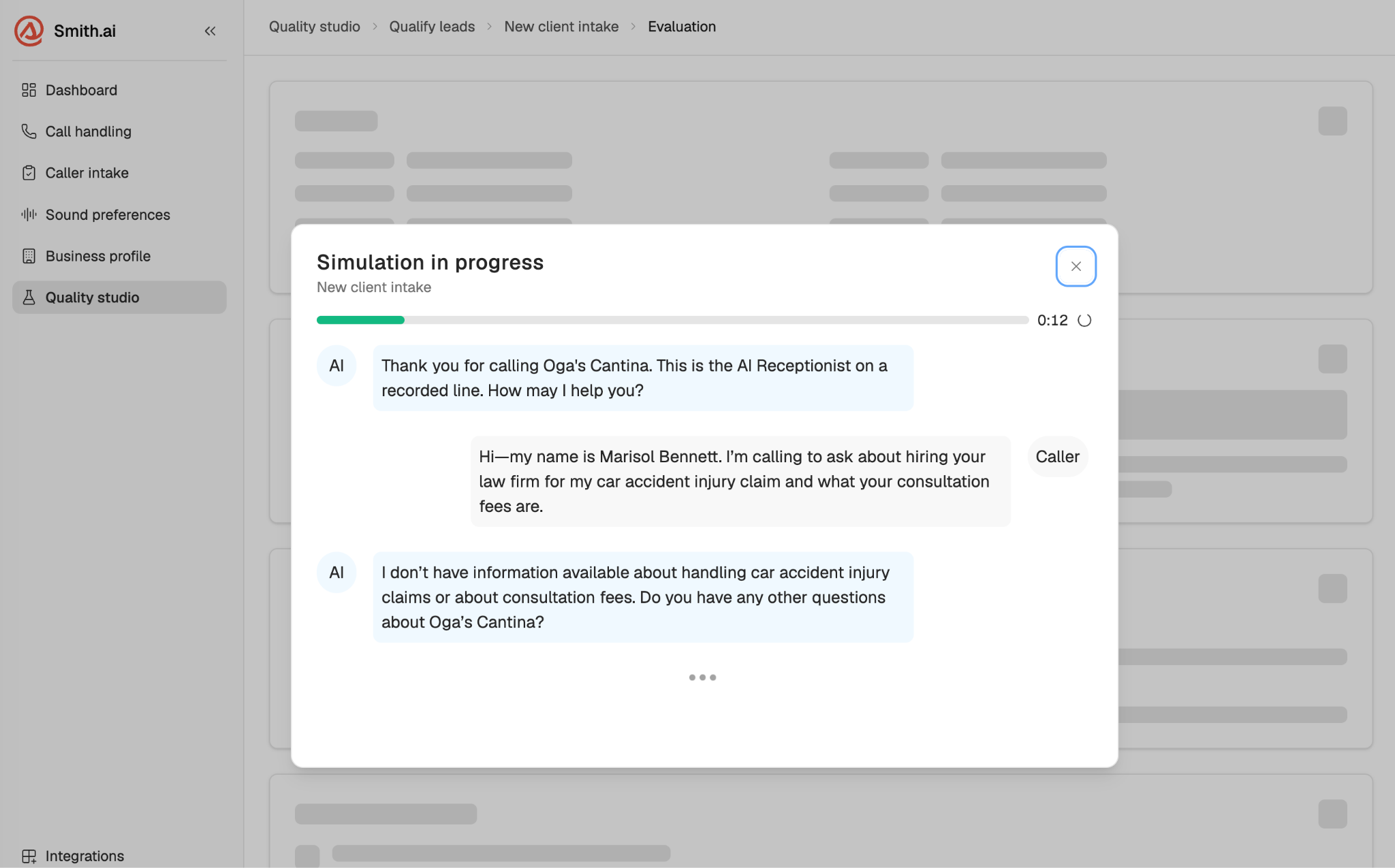
Note: Simulated calls end at the point where a transfer or scheduling handoff would occur. They cannot complete a live transfer to a human agent or check real calendar availability. To test the handoff leg, use a test call.
Test calls
A test call is a live voice call from your browser to your AI Receptionist phone number. You play the role of an incoming caller to your business.
Best for:
Hearing how your AI Receptionist sounds on a real call
Testing the end-to-end experience including live transfers and handoffs
Final validation before going live
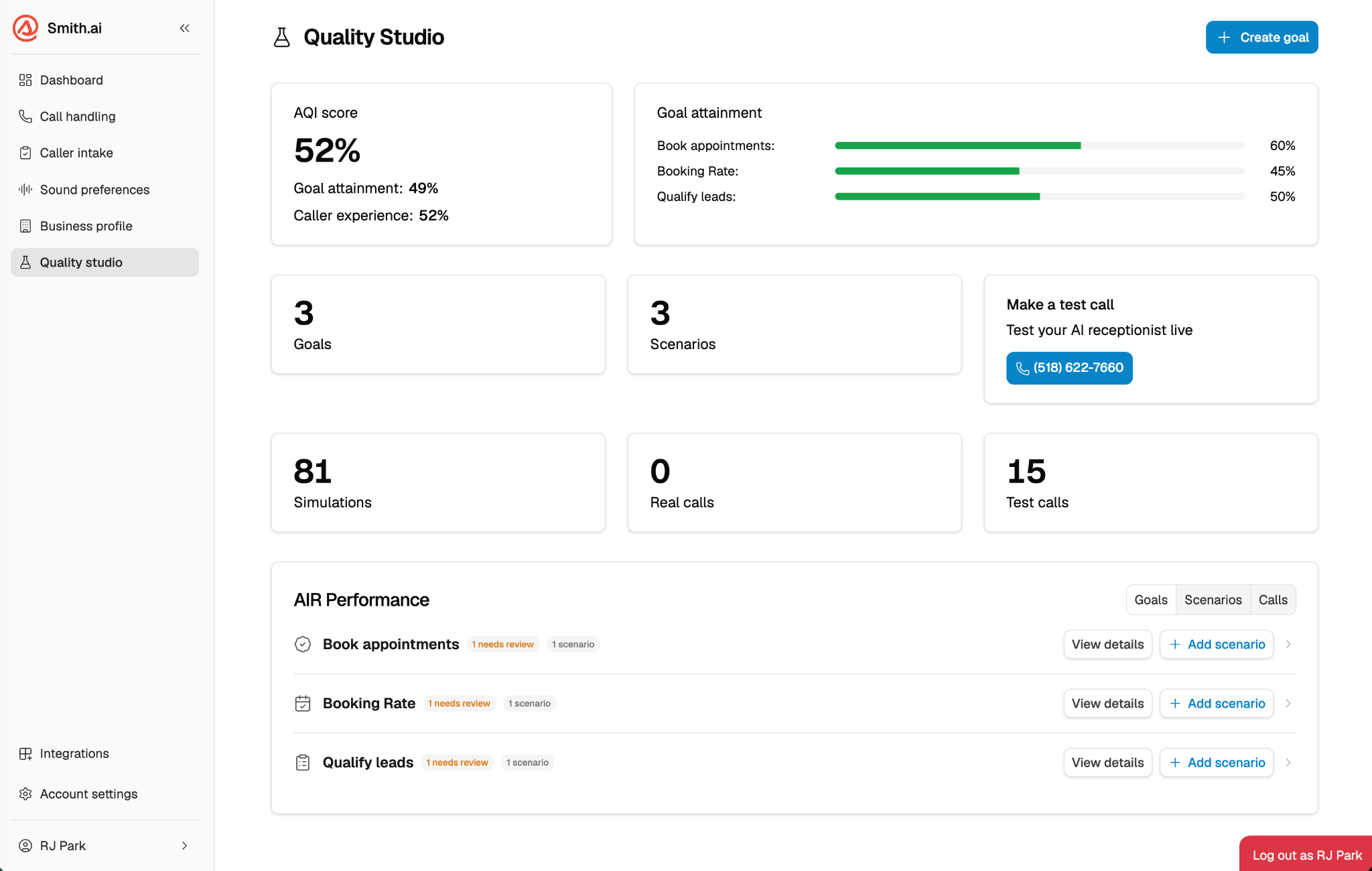
How to make a test call:
Log in to your AI Receptionist dashboard at app.smith.ai/vr/ and open Quality Studio.
Select the scenario you want to test.
Click Make a Test Call.
Your browser connects to your AI Receptionist number. Have the conversation, following the scenario.
When the call ends, Quality Studio evaluates it and shows your results.
Real calls
Real calls are your actual inbound calls from real callers. Quality Studio automatically evaluates a sample of these calls and scores them against your active goals and scenarios, giving you ongoing visibility into how your AI Receptionist is performing in the field, not just in test conditions.
How real call evaluation works:
Evaluation starts automatically after your first simulated call runs, nothing to enable
Calls are sampled and scored against your active goals and scenarios
Results appear in your Quality Studio dashboard alongside simulated and test call results
Real call scores feed into your AQI trend the same way simulated and test scores do
Real calls count against your monthly live call allowance, not a separate Quality Studio quota.
Note: Real calls are not initiated manually — they happen as your callers call in. Quality Studio evaluates them in the background.
Comparing all three
Recommended workflow: Use simulated calls to iterate and find issues fast. Run test calls to validate voice quality and end-to-end flow before going live. Once live, real call evaluation gives you a continuous read on how your AI Receptionist is actually performing.
Frequently asked questions
Do simulated or test calls count toward my monthly live call allowance?
No. Simulated and test calls are metered separately and do not affect your live call count.
When does real call evaluation start?
Automatically, after you run your first simulated call. There is nothing to enable — Quality Studio begins sampling your inbound calls and scoring them against your active goals and scenarios.
Can I control which real calls get evaluated?
Not directly, the system samples automatically. The best way to shape what gets evaluated is to keep your goals and scenarios current and specific to the types of calls you receive.
What happens if I reach my monthly simulated or test call limit?
You won't be able to run more simulated or test calls until your billing cycle resets. There is no extra rate or top-up option — if you need a higher monthly allowance, consider upgrading your plan. Email support@smith.ai or call (650) 727-6484 for more information on the right plan for your business.
Can I see the transcript from a test call or real call?
Yes. Full transcripts appear in Quality Studio call details alongside per-check results and a call summary, for all three call types.
Why did my simulated call end before the scenario was finished?
If your scenario involves a transfer or scheduling handoff, the simulation ends at that point. Simulations cannot complete live transfers or read real calendar availability. Use a test call to test those steps.
Questions? Contact us!
Already a client? Email support@smith.ai or call (650) 727-6484.
Not yet a client? Schedule a free consultation at smith.ai/booking-va or email sales@smith.ai.
Was this article helpful?
That’s Great!
Thank you for your feedback
Sorry! We couldn't be helpful
Thank you for your feedback
Feedback sent
We appreciate your effort and will try to fix the article